Kanban Board
for Gamers
Because even playing games needs a little management.
A backlog on your PC. Another on your console. A save you haven't touched in weeks. Keep your games, progress, and next moves on one board.
Free to use. Sign in with an email link, then make the board yours.
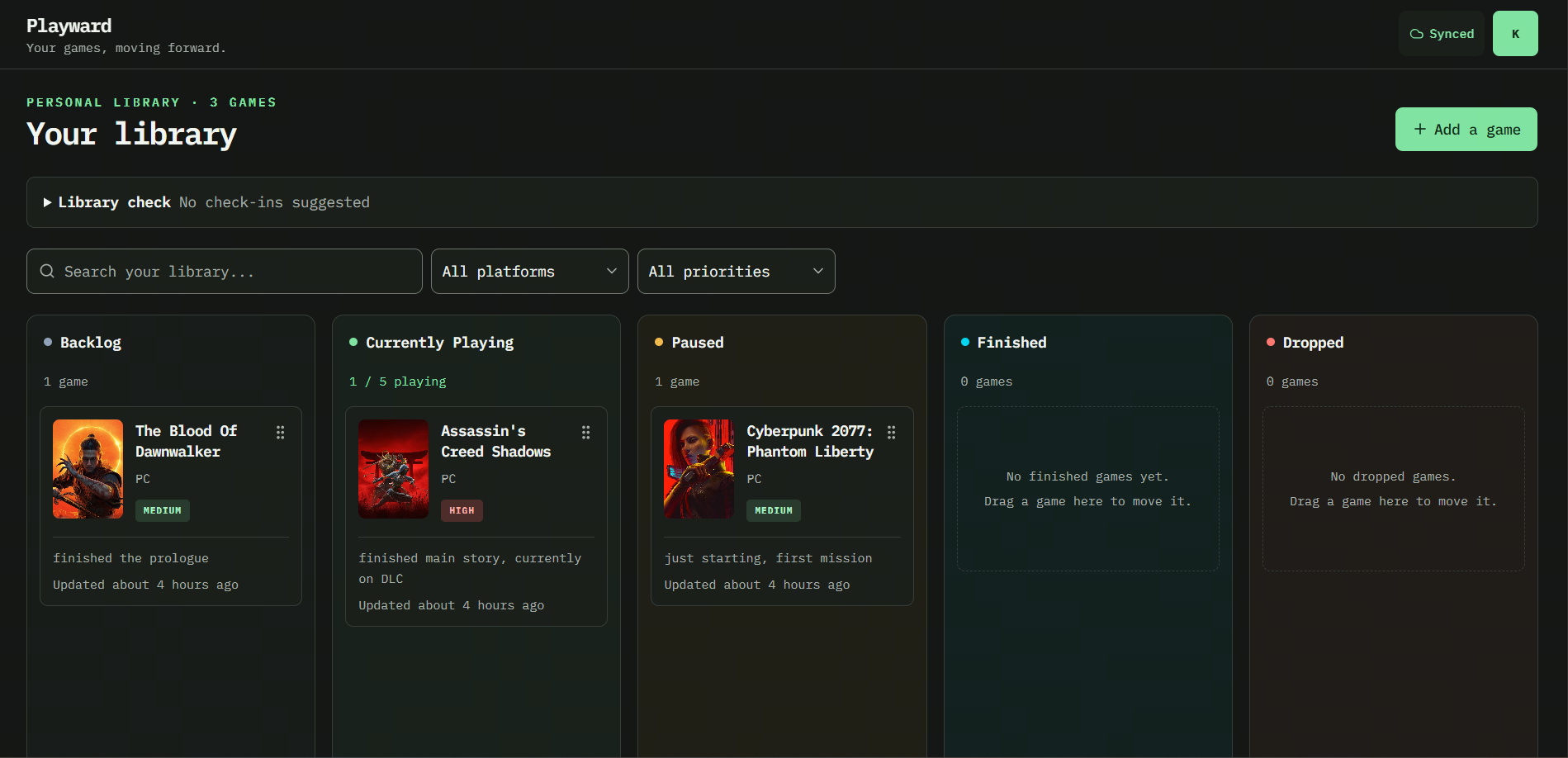
Give your backlog a game plan.
Drag a game into Currently Playing, put it on pause, or celebrate a finish. Track the device you play on and set a priority for whatever comes next. Library check helps you spot games that could use a check-in. You decide whether to keep playing or take a break.
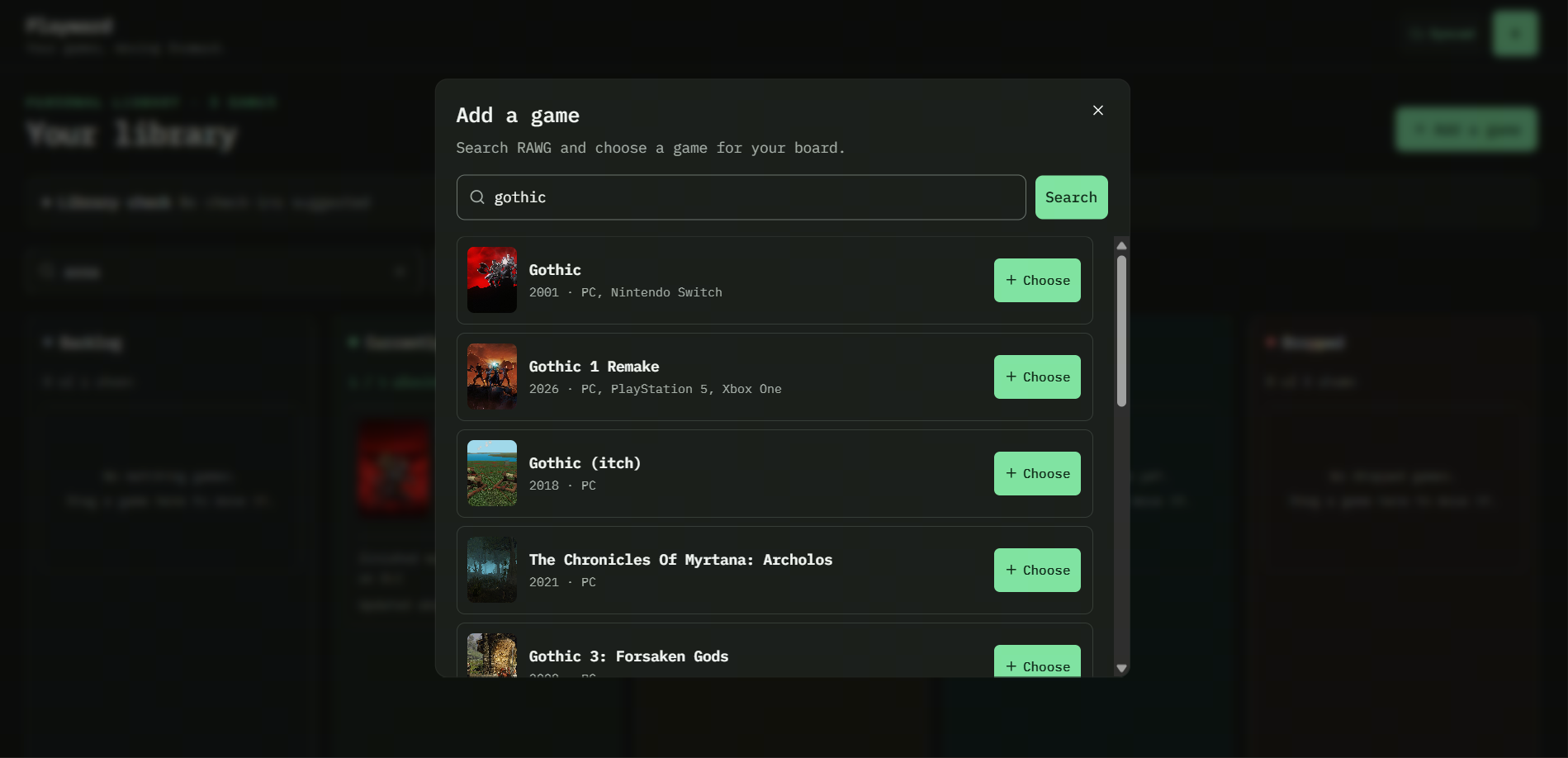
Found your next game? Give it a spot.
Search the RAWG catalogue, pick your game, and choose the cover you want on your board. Less typing, more deciding what to play.
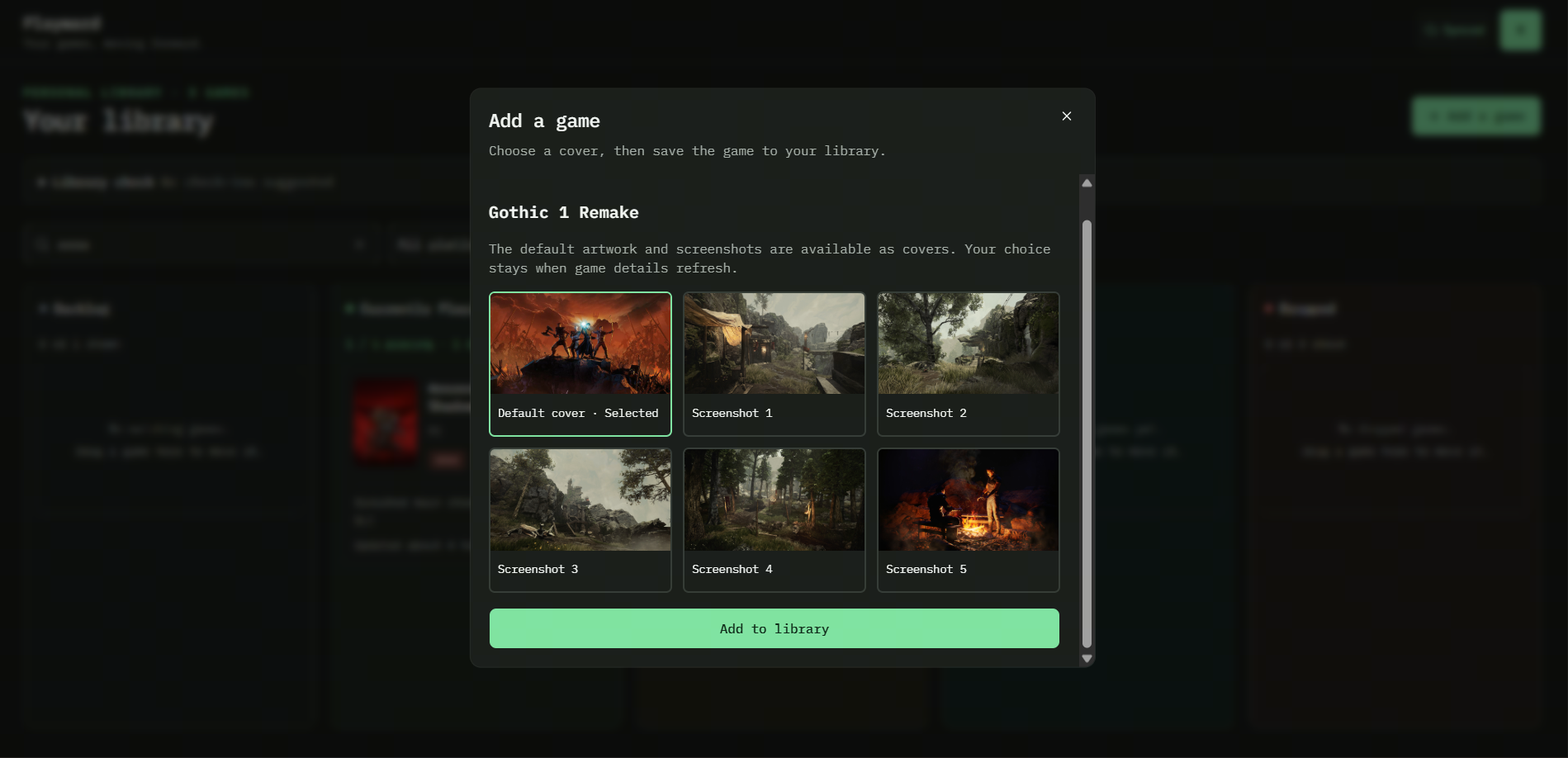
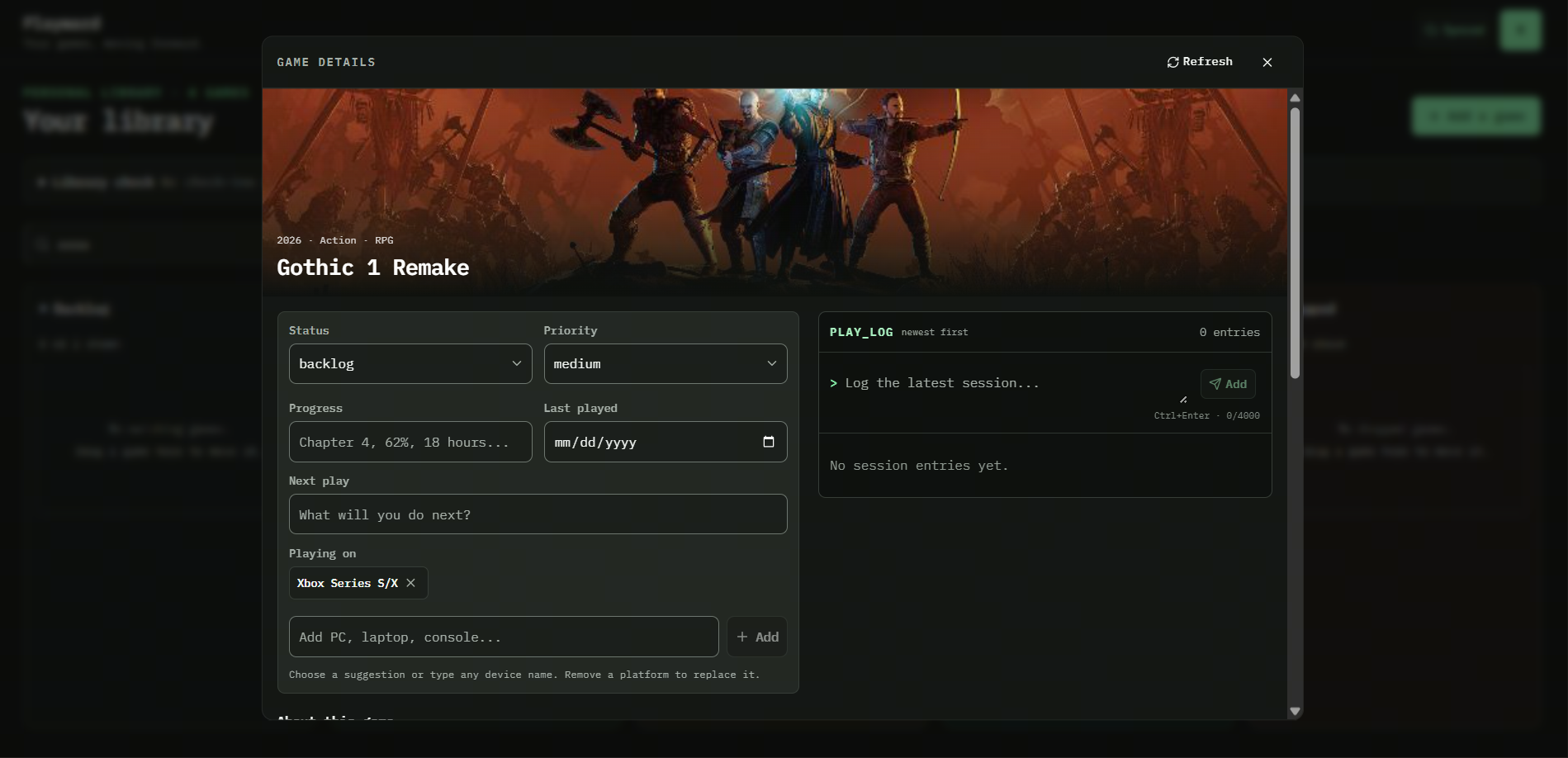
Remember the quest, not just the title.
Chapter four? Halfway through the DLC? Write down your progress and your next move. Add session notes to the play log so your future self knows where to pick up.
Less scrolling. More playing.
Find a title, filter by platform, or narrow the board to your top priorities. Your whole library stays there when you reset the filters.
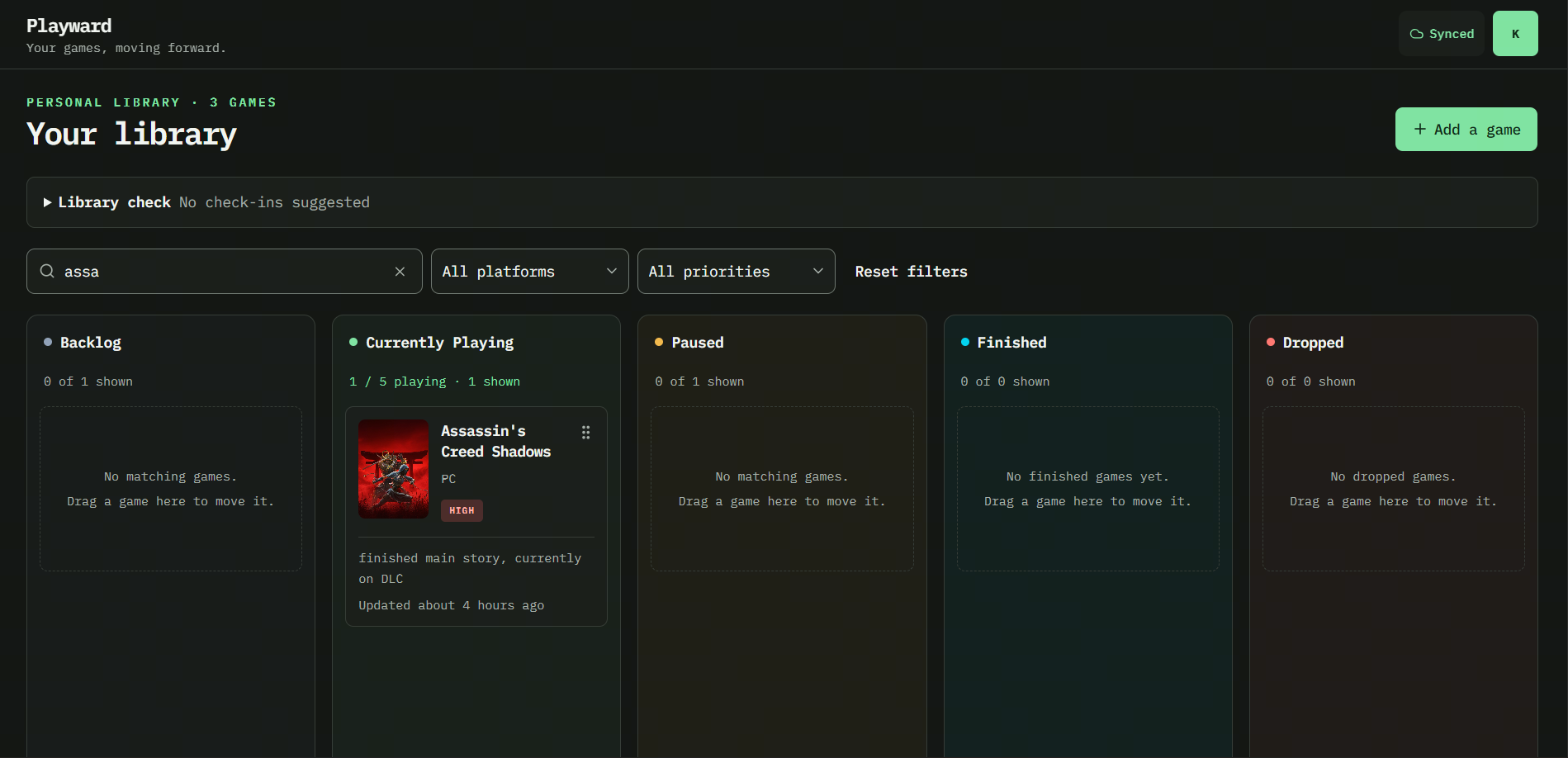
Different device. Same backlog.
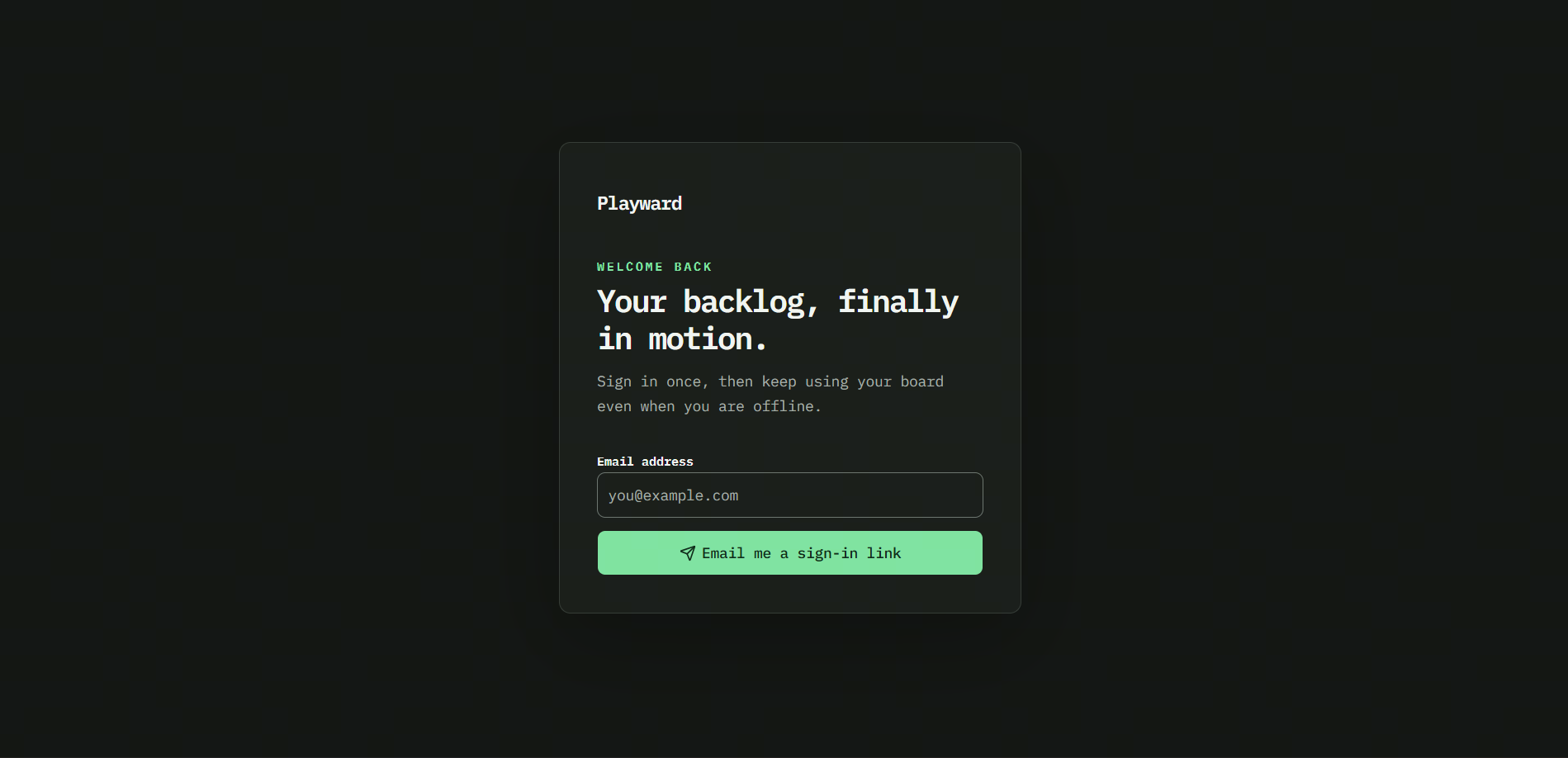
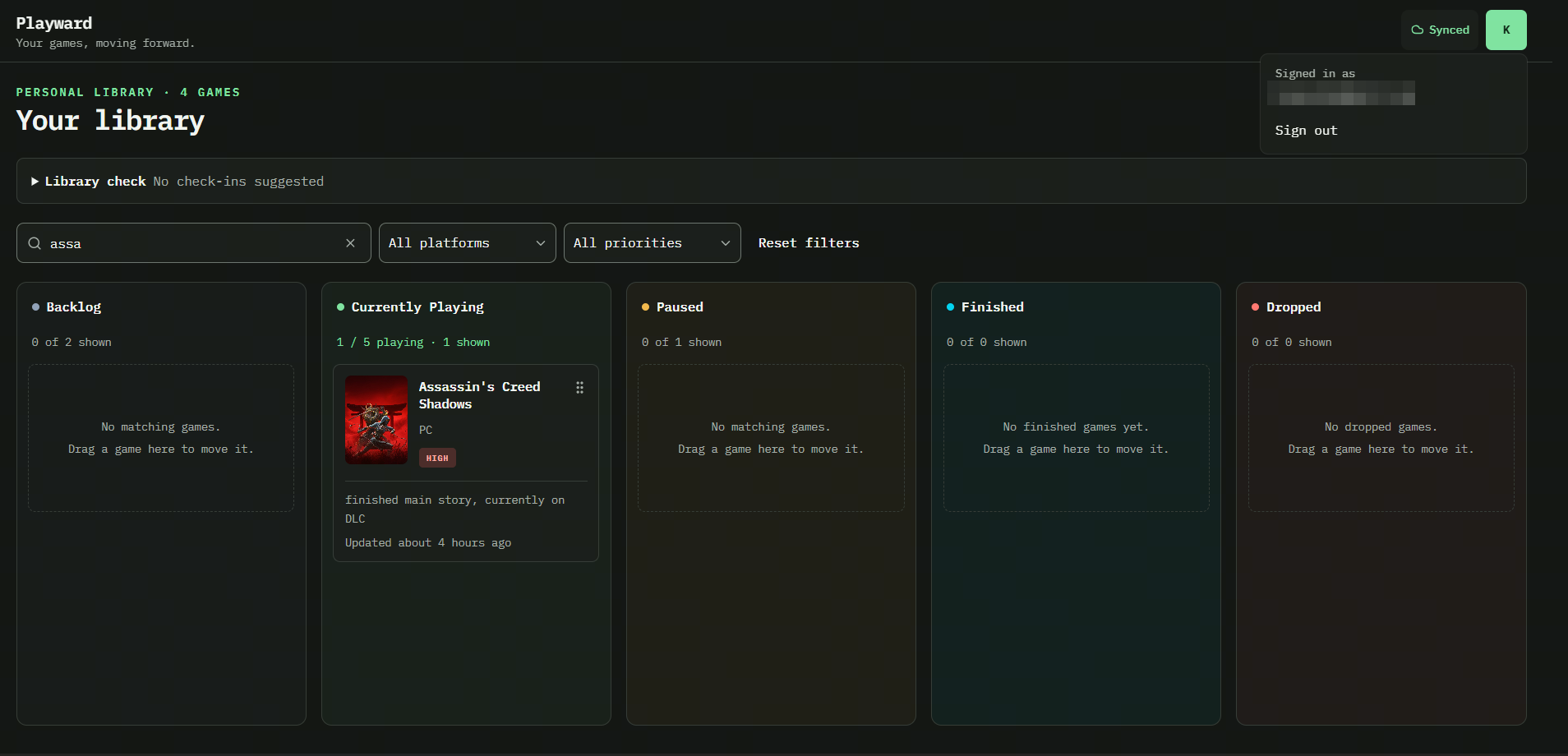
Sign in to keep your library synced across devices. After an online visit, you can use your cached board offline; edits sync when you reconnect. Game search and email sign-in need an internet connection.
See sign-in and account screens
Your next session starts with a plan.
Built by a gamer with a backlog of their own. Free to use, with room for the games you're playing and the ones you'll get to someday.